Why consider alternatives to Blinq?
Blinq is a popular digital business card platform known for its AI contact enrichment and large integration ecosystem. However, some users look for alternatives due to plain card designs, limited privacy controls, and the Premium plan being more expensive than competitors.
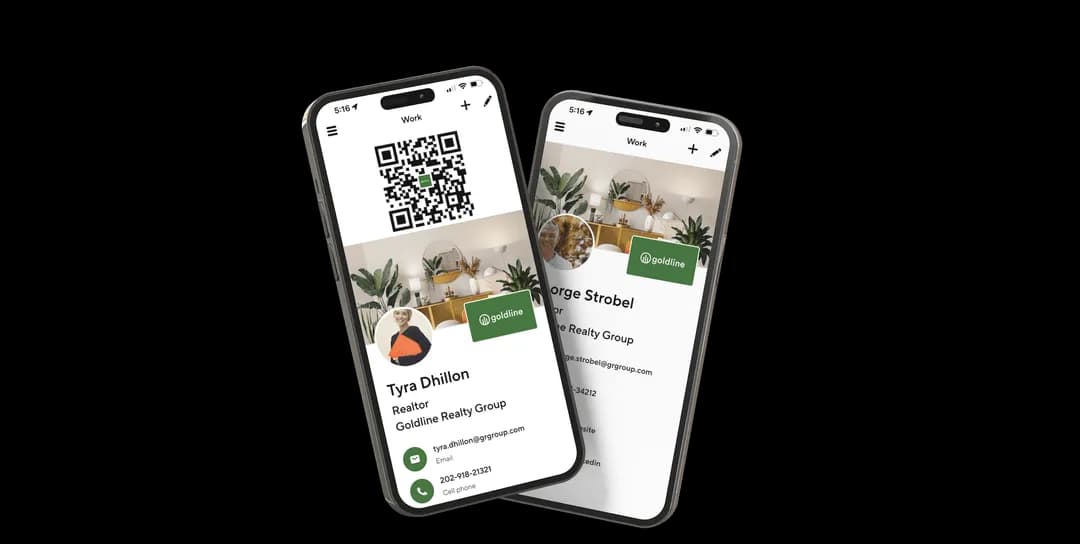
Blinq feature highlights
- AI contact enrichment - Automatically enriches contacts with email addresses, phone numbers, and LinkedIn profiles.
- Multiple sharing options - Share via QR code, NFC, email signature, virtual background, or link.
- CRM and software integrations - Connect with Salesforce, HubSpot, Microsoft Dynamics, Pipedrive, and Zoho CRM.
- Team management tools - Card templates, automated provisioning, field locking, and admin email signatures.
- Lead capture - Collect and organize contact details, useful for networking and sales.
Blinq pricing
| Plan | Key features | Pricing |
|---|---|---|
| Free plan | Basic digital card with personal QR code and up to 2 cards. | Free |
| Premium plan | 5 digital business cards, AI contact enrichment, branded QR codes, and card scanner. | $9.99/month ($7.33/month annually) |
| Business plan | Unlimited card templates, team cards, CRM integrations, and admin email signatures. | $6.99/user/month ($4.99/user/month annually) |
| Enterprise | SSO, bulk card creation via API, SOC 2 Type II compliance, and dedicated support. | Custom pricing |
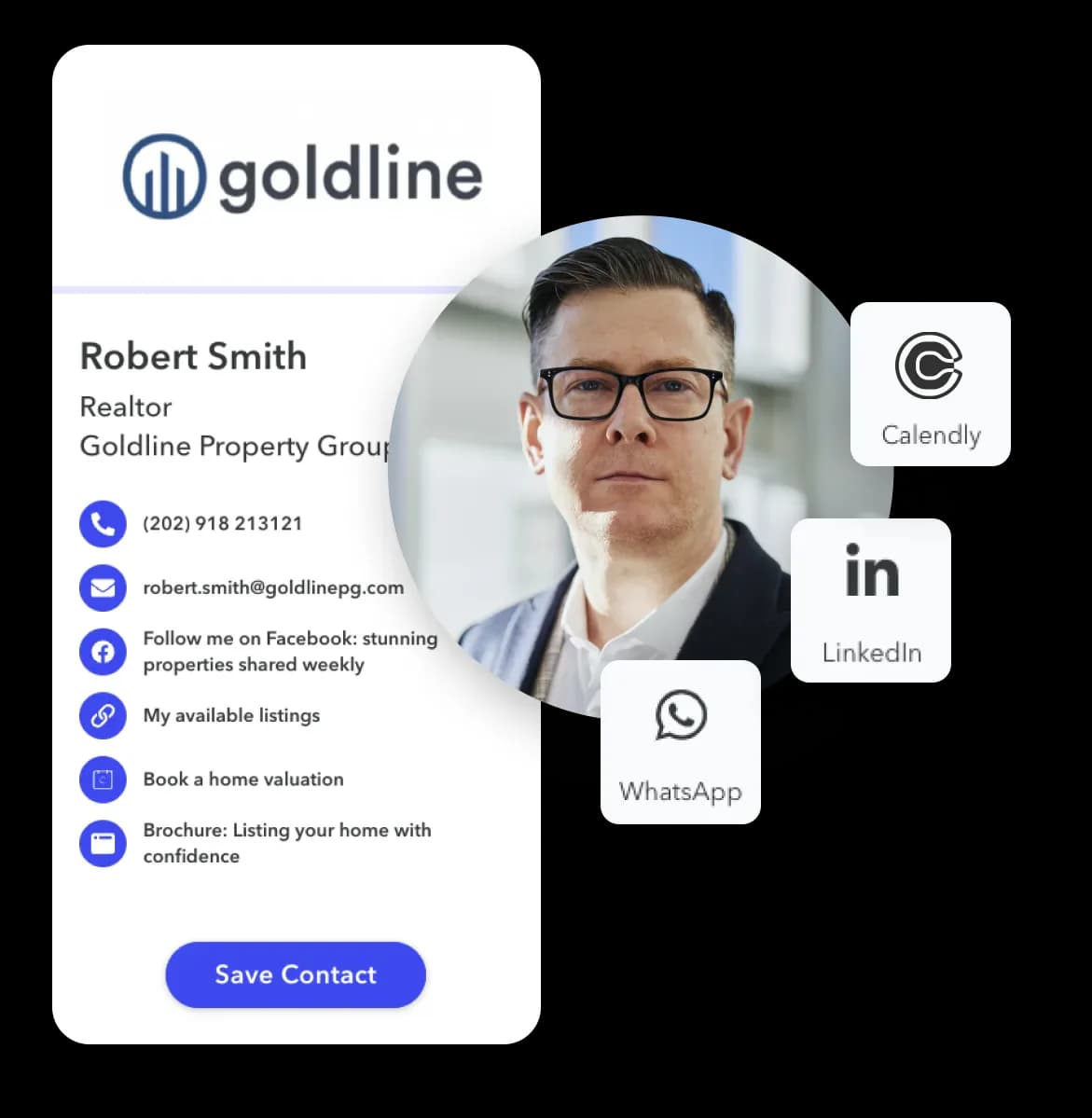
Blinq pros & cons
Pros
- 🟢AI-powered contact enrichment is unique in the market
- 🟢Offers free plan with unlimited sharing
- 🟢Supports Apple Wallet and Google Wallet integration
- 🟢SOC 2 Type II and GDPR compliant
- 🟢Large integration ecosystem with major CRM platforms
Cons
- 🔻Premium plan at $9.99/month is more expensive than many alternatives
- 🔻No privacy features like expiring links
- 🔻Free plan limited to only 2 cards
- 🔻Card landing pages look plain compared to some alternatives
- 🔻No personalized card handles
The best 10 Blinq alternatives you should consider
1. Lynkle
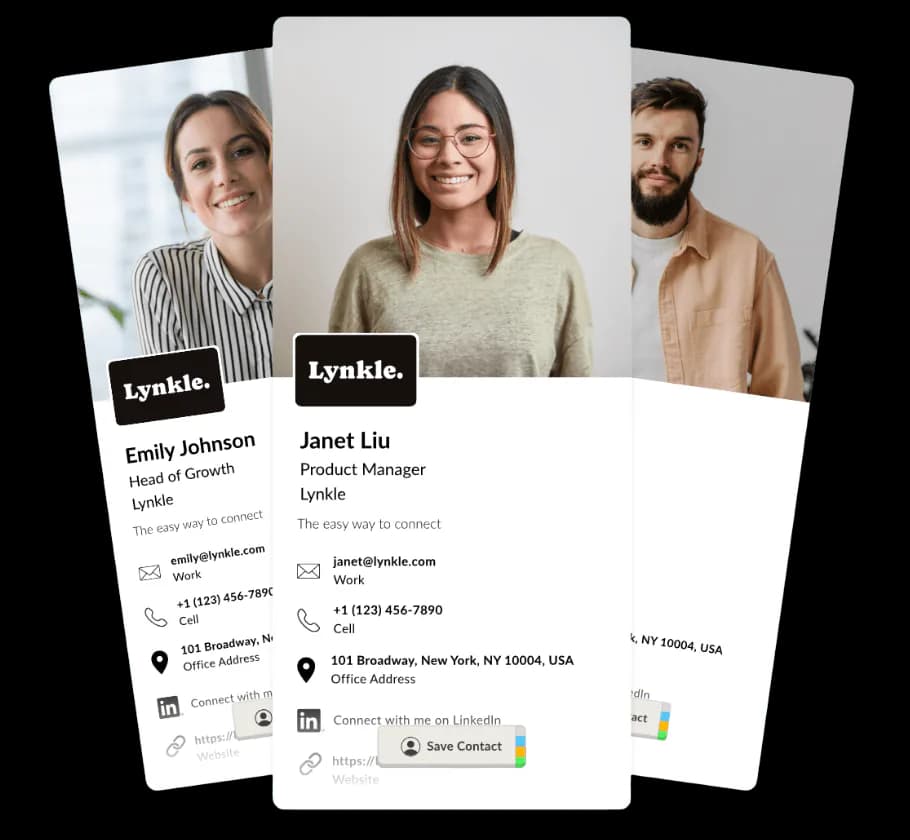
Lynkle is 100% digital - perfect for forward thinking individuals and teams who want to create stunning looking digital business cards and value their privacy.
Lynkle feature highlights
- Beautifully designed cards - Looks great on all devices, and supports personalized card handles.
- Shareable anywhere - Use the native iPhone and Android apps, QR code, Apple or Google Wallet, email, text, NFC, and more.
- Lead capture - Capture leads directly from your card and export them to your CRM or contacts.
- Advanced privacy controls - Share your card with an expiring link.
Lynkle pricing
| Plan | Key features | Pricing |
|---|---|---|
| Teams planBest for teams of 5–50 | Real-time card templates, centralized contact management and billing. Minimum 5 users. | $48/user/year |
| Free plan | Digital business card with unlimited fields. | Free |
| Pro plan | 3x digital business cards with advanced branding, 3rd party integrations and privacy controls. | $4.5/month |

Lynkle pros & cons
Pros
- 🟢100% digital, no paper or plastic
- 🟢Offers generous free plan
- 🟢Reasonably priced and feature packed Pro and Teams plans
- 🟢Native iPhone and Android apps, plus QR code, Apple Wallet, Google Wallet, NFC, and email signature sharing.
- 🟢Automated email signatures
- 🟢Contact sync with Google and Outlook
- 🟢CRM integration with HubSpot and Salesforce
- 🟢Advanced privacy controls like Private Card Sharing
- 🟢Offers DIY guide to create a free NFC business card
Cons
- 🔻Not as many third-party integrations as some other competitors
- 🔻No enterprise plan yet
- 🔻Doesn't sell physical cards
2. Popl
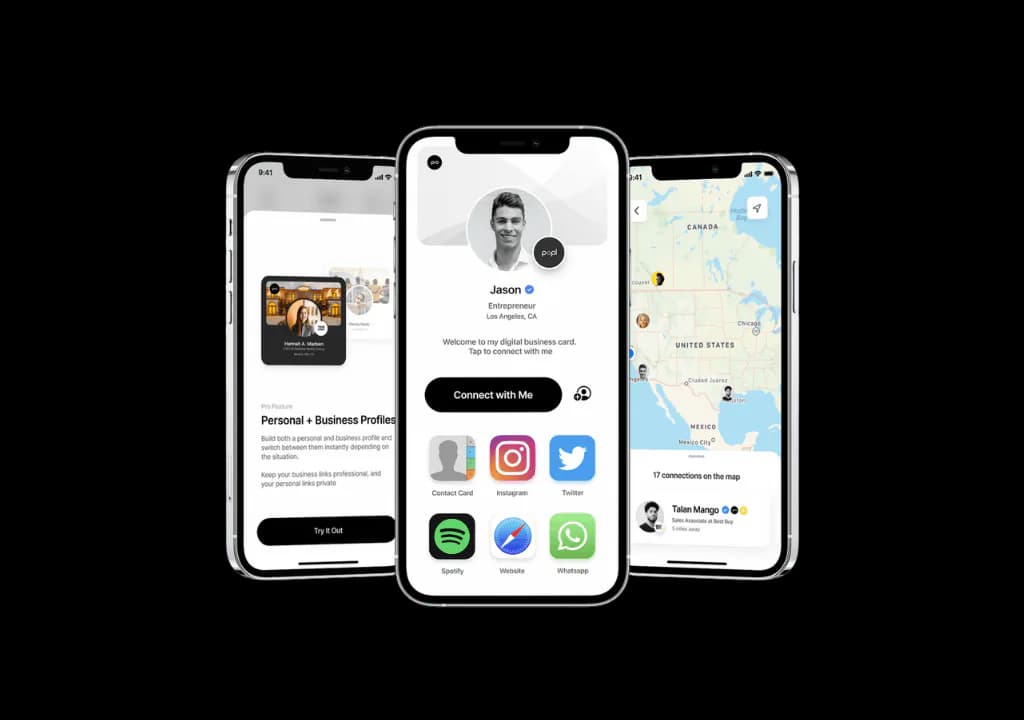
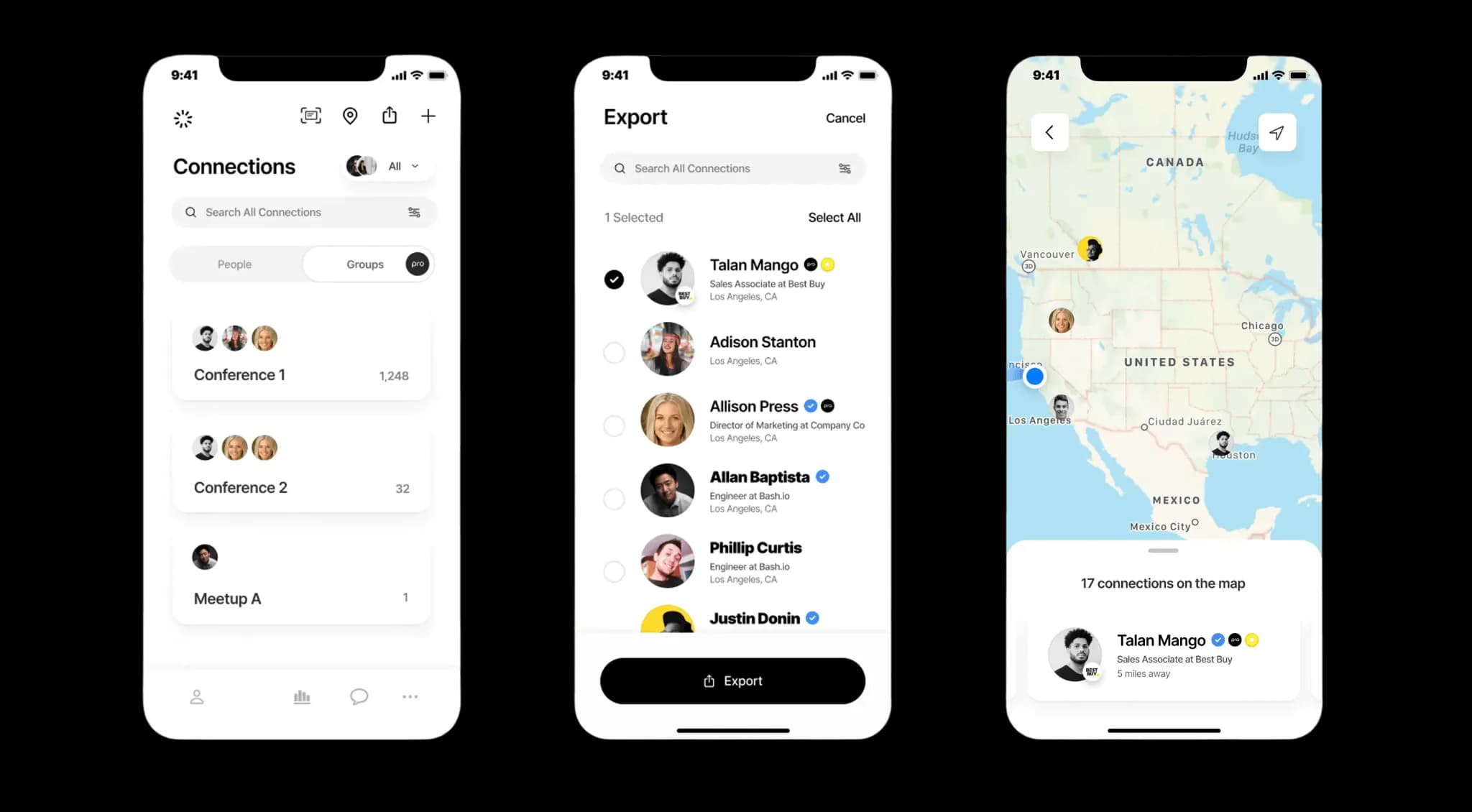
Popl has the largest integration ecosystem in the digital business card space with over 5,000 connections. While the paid plans are expensive, it may be useful for teams that need deep CRM integration and event lead capture. For a 100% digital solution with beautifully designed cards and built-in privacy controls, explore digital business cards for teams.
Popl feature highlights
- Massive integration ecosystem - Over 5,000 integrations including Salesforce, HubSpot, Workday, and more.
- Event lead capture - Purpose-built tools for capturing leads at events and conferences.
- Multiple sharing options - Share via tap, QR code, or link without requiring an app for recipients.
- CRM integration - Deep connections with Salesforce, HubSpot, Zoho, and Monday.com.
- Team & enterprise solutions - Manage multiple users, track analytics, and assign roles within an organization.
Popl pricing
| Plan | Key features | Pricing |
|---|---|---|
| Free plan | Basic digital card with limited customization. | Free |
| Pro plan | 3 digital business cards, lead-capture forms, CRM access, and Popl AI. | $7.99/month ($6.49/month annually) |
| Pro+ plan | Custom lead capture forms and more customizable CRM mappings. | $14.99/month ($11.99/month annually) |
| Teams and Enterprise | Designed for businesses needing team management and centralized analytics. | Custom pricing |
Popl pros & cons
Pros
- 🟢Largest integration ecosystem with 5,000+ connections
- 🟢Strong event lead capture capabilities
- 🟢Offers free plan
- 🟢No app required for recipients to view cards
- 🟢Enterprise-ready with SOC 2 Type II compliance
Cons
- 🔻Pro ($7.99/month) and Pro+ ($14.99/month) plans are expensive
- 🔻No privacy features on any of the plans
- 🔻Card designs are not particularly visually appealing
- 🔻Business plan pricing is not transparent
- 🔻No personalized card handles
Want a deeper dive? Read our full Popl vs Blinq comparison for a detailed, side-by-side look at features, pricing, and verdict.
3. HiHello
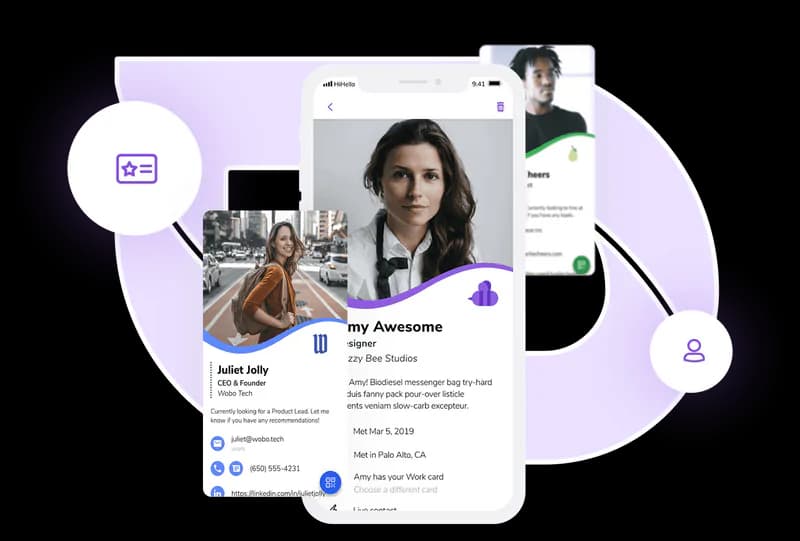
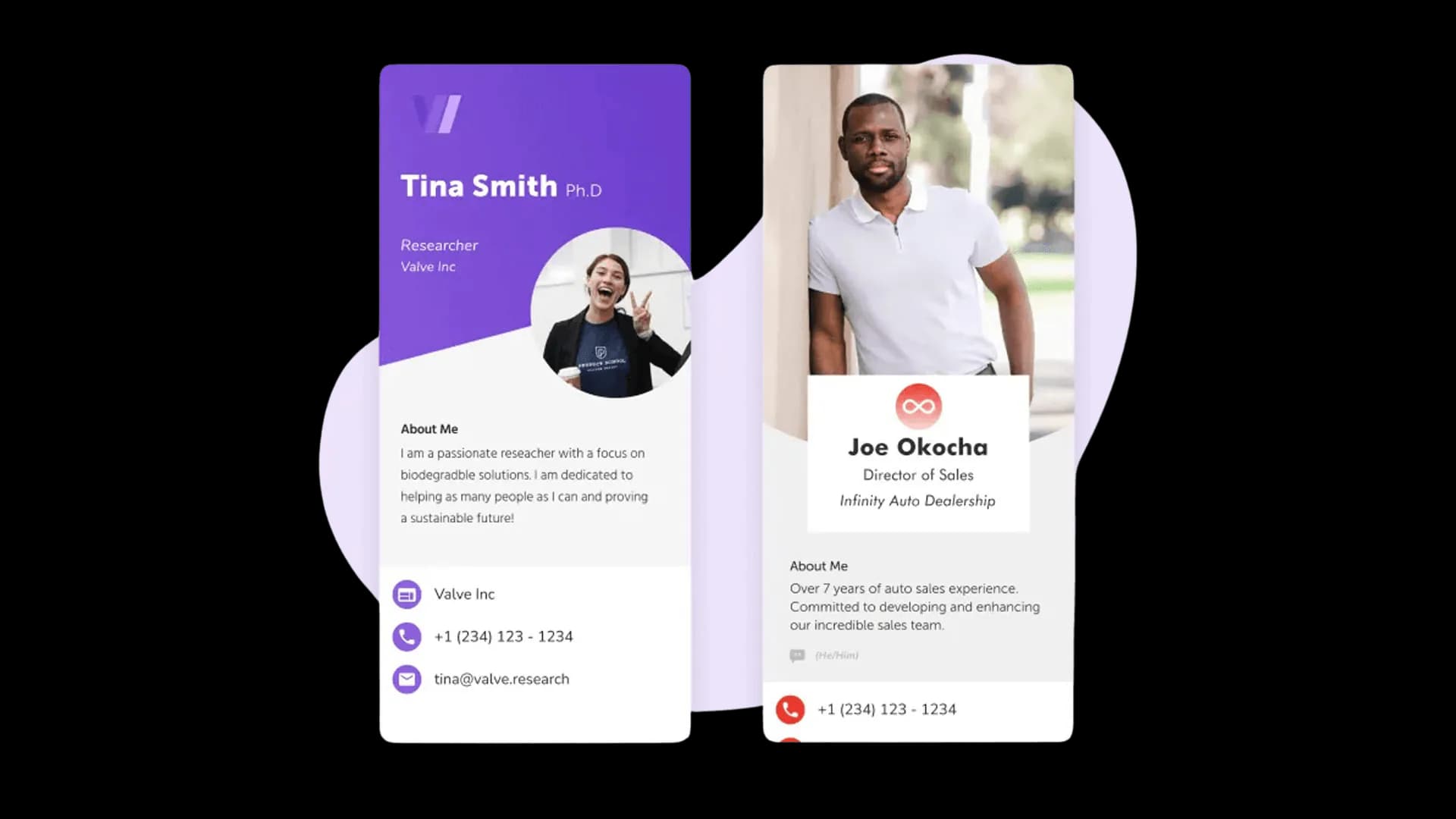
HiHello is a good option for professionals who want video embedding on their cards and email signature integration. It offers solid contact management and team features at competitive pricing.
HiHello feature highlights
- Video embedding - Embed video content directly on your digital business card.
- Multiple sharing methods - Share via QR code, email, text, NFC, or video calls.
- CRM and contact management - Organize and store contacts with integrations for Salesforce and HubSpot.
- Email signatures & virtual backgrounds - Use digital cards in email signatures and as branded video meeting backgrounds.
- Contact enrichment - AI-powered contact enrichment to automatically fill in missing contact details.
HiHello pricing
| Plan | Key features | Pricing |
|---|---|---|
| Personal plan | Basic digital card with up to 4 cards and 5 scans per month. | Free |
| Professional plan | 16 cards, custom branding, branded QR codes, video embedding, and analytics. | $8/month ($6/month annually) |
| Business plan | Unlimited cards, team templates, CRM integrations, SSO, and contact enrichment. | $6/user/month ($5/user/month annually) |
| Enterprise | Department templates, custom fonts, advanced SSO (SAML/SCIM), and dedicated support. | Custom pricing |
HiHello pros & cons
Pros
- 🟢Video embedding is unique among digital business card platforms
- 🟢Offers free plan with 4 digital cards
- 🟢Affordable team pricing at $5/user/month annually
- 🟢Email signature and virtual background features
- 🟢Strong team and enterprise offerings with SSO support
Cons
- 🔻Professional plan at $8/month is pricier than some alternatives
- 🔻No privacy features like expiring links
- 🔻No personalized card handles
- 🔻Enterprise pricing is not transparent
- 🔻Some features locked behind higher-tier plans
Want a deeper dive? Read our full HiHello vs Blinq comparison for a detailed, side-by-side look at features, pricing, and verdict.
4. V1CE
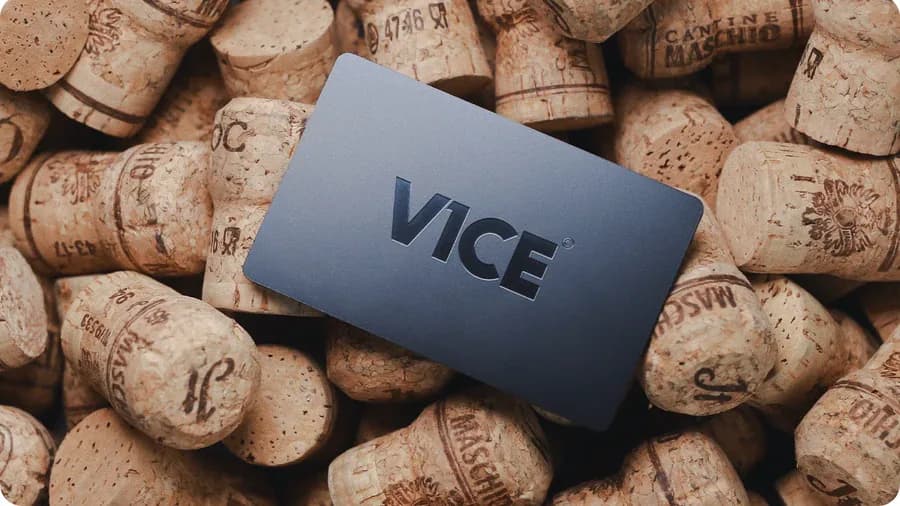
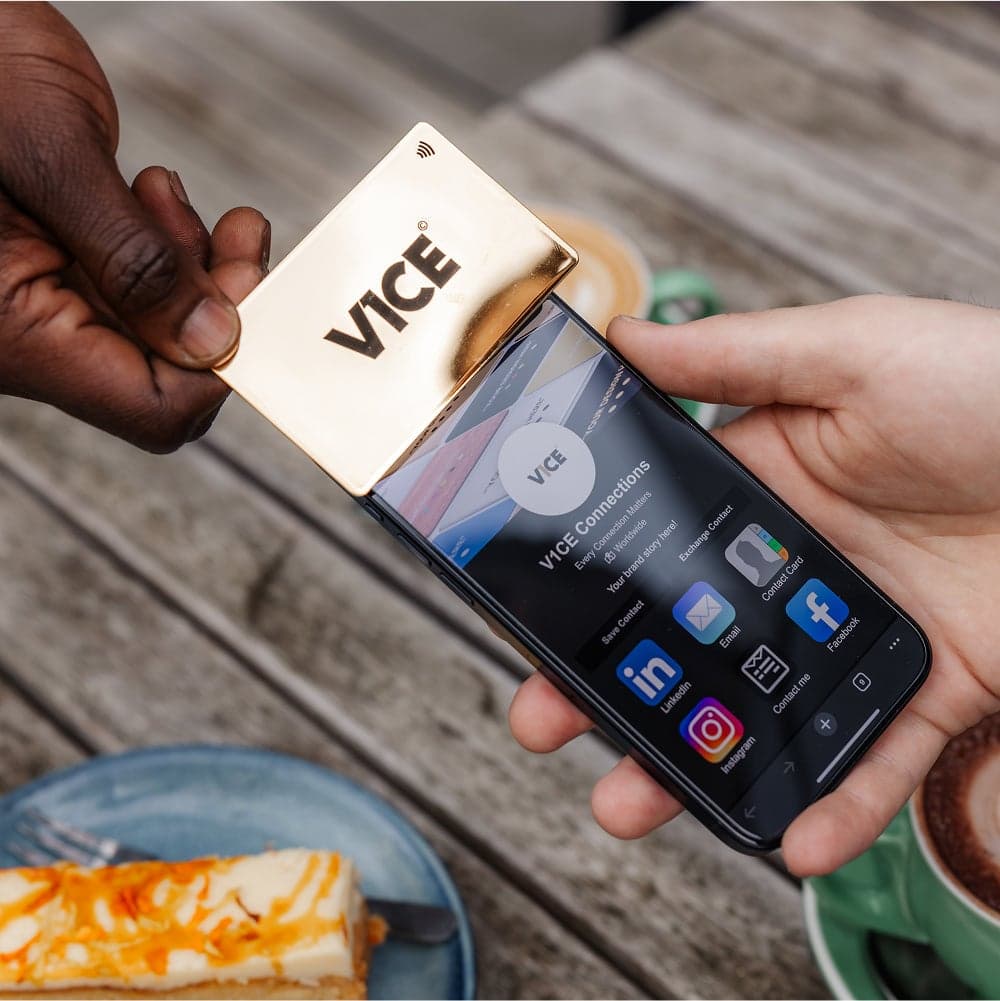
V1CE is a good option for professionals who want premium physical NFC cards in unique materials like bamboo, metal, or gold. Their automated follow-up feature and flat-rate unlimited team plan are standout offerings.
V1CE feature highlights
- Premium NFC card materials - Choose from PVC, bamboo, metal, or 24K gold NFC smart cards with lifetime replacement guarantee.
- Automated follow-ups - Smart follow-up messages sent automatically after meetings to help close more deals.
- AI business card scanner - Scan paper business cards with AI and save contacts directly to your CRM.
- Lead capture & analytics - Automatic contact capture with a real-time analytics dashboard.
- CRM integration - Leads are synced to your CRM automatically with no manual data entry.
V1CE pricing
| Plan | Key features | Pricing |
|---|---|---|
| Free plan | 1 digital business card with 30-day analytics. | Free |
| Plus plan | Unlimited cards, full analytics, CRM integration, automated follow-ups, and team management. | $4.99/month |
| Plus Unlimited | Flat rate for unlimited users, bulk card creation, priority support, and NFC product discounts. | $149.99/month (flat rate) |
V1CE pros & cons
Pros
- 🟢Wide range of premium NFC card materials including bamboo, metal, and gold
- 🟢Lifetime card replacement guarantee on all physical cards
- 🟢Automated follow-up messaging is unique among NFC card providers
- 🟢Flat-rate unlimited team plan is competitive for large teams
- 🟢AI business card scanner for digitizing paper cards
Cons
- 🔻Physical NFC cards are expensive (starting at £59.99)
- 🔻No privacy features like expiring links
- 🔻No personalized card URLs
- 🔻Plus Unlimited plan at $149.99/month has a high entry price for small teams
- 🔻Digital card profiles are less polished than some alternatives
Want a deeper dive? Read our full V1CE vs Blinq comparison for a detailed, side-by-side look at features, pricing, and verdict.
5. Uniqode
Uniqode is a premium tool for businesses focused on secure, scalable digital networking using QR codes. If you're running team-wide campaigns or need robust compliance certifications, it could be a good option. But if you're only after a more personalized, elegant digital business card, other options might be more cost-effective.
Uniqode feature highlights
- Two-way contact sharing - Recipients can share their details back to you via a form on your card.
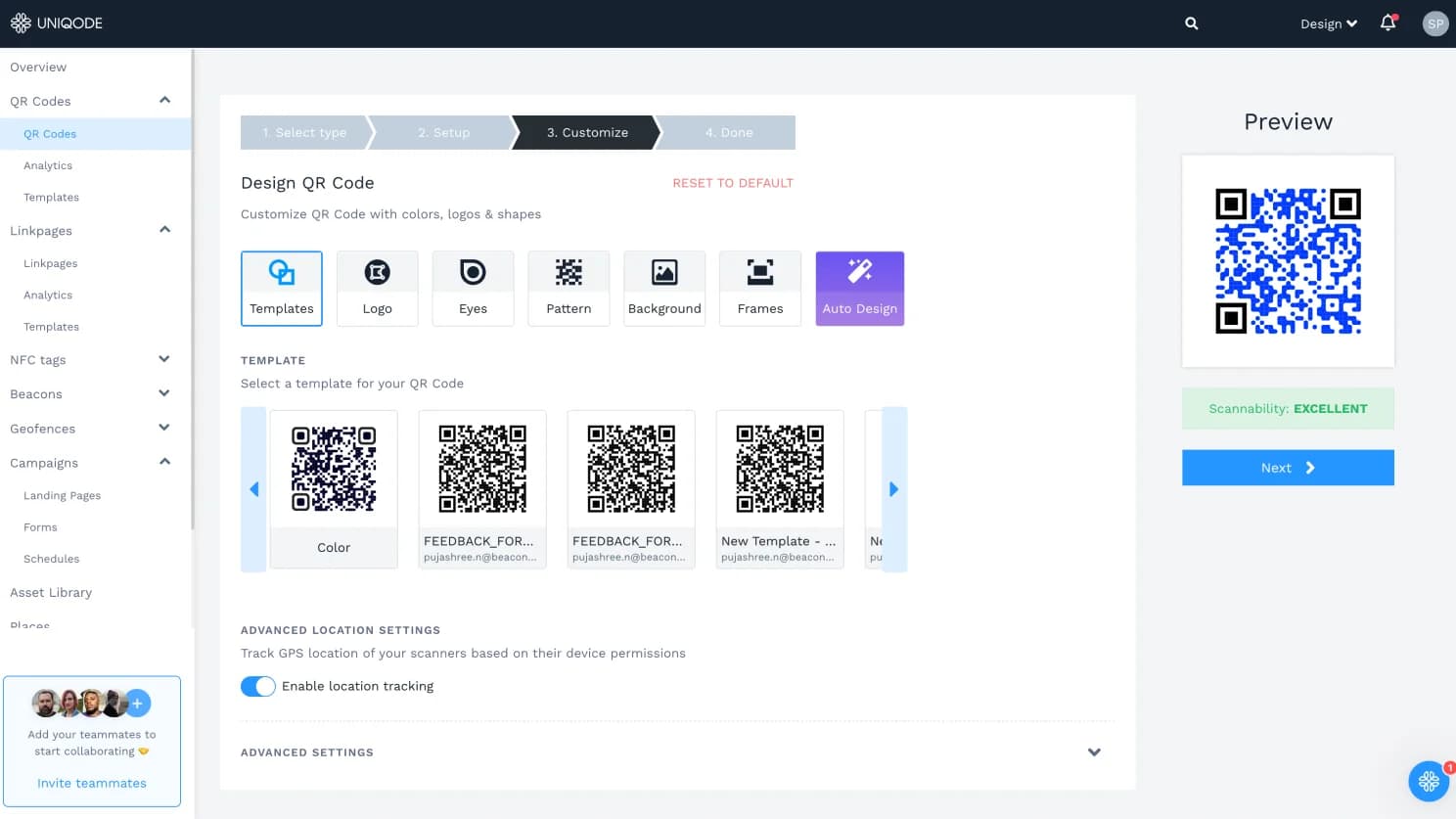
- Dynamic QR code platform - Create and manage dynamic QR codes that can be updated without reprinting.
- Enterprise compliance - SOC 2 Type II, GDPR, HIPAA, and ISO 27001:2022 certified with SSO support.
- Bulk card management - Create up to 2,000 cards at once with templates and HR tool integrations.
- Custom domains - Use your own domain for card URLs to maintain brand consistency.
Uniqode pricing
| Plan | Key features | Pricing |
|---|---|---|
| Free plan | 1 user, basic customization, Apple/Google Wallet, 14-day analytics, up to 5 leads. | Free |
| Team plan | Unlimited leads and analytics, advanced customization, branded QR codes, and bulk creation. | $6/user/month billed annually (annual only) |
| Business+ | White-labeling, custom domain, Salesforce/HubSpot integration, and HR tool integrations. Min. 50 users. | Custom pricing |
Uniqode pros & cons
Pros
- 🟢Strong compliance certifications (SOC 2, GDPR, HIPAA, ISO 27001)
- 🟢Two-way contact sharing for mutual lead exchange
- 🟢Bulk creation and centralized control for large-scale deployments
- 🟢Apple and Google Wallet support
- 🟢Custom domain support for branded card URLs
Cons
- 🔻Free plan is very limited (5 leads, 14-day analytics)
- 🔻Business+ plan requires a minimum of 50 users
- 🔻No NFC support
- 🔻No privacy features like expiring links
- 🔻No personalized card URLs
- 🔻Digital business cards are secondary to the QR code product
Want a deeper dive? Read our full Uniqode vs Blinq comparison for a detailed, side-by-side look at features, pricing, and verdict.
6. Mobilo
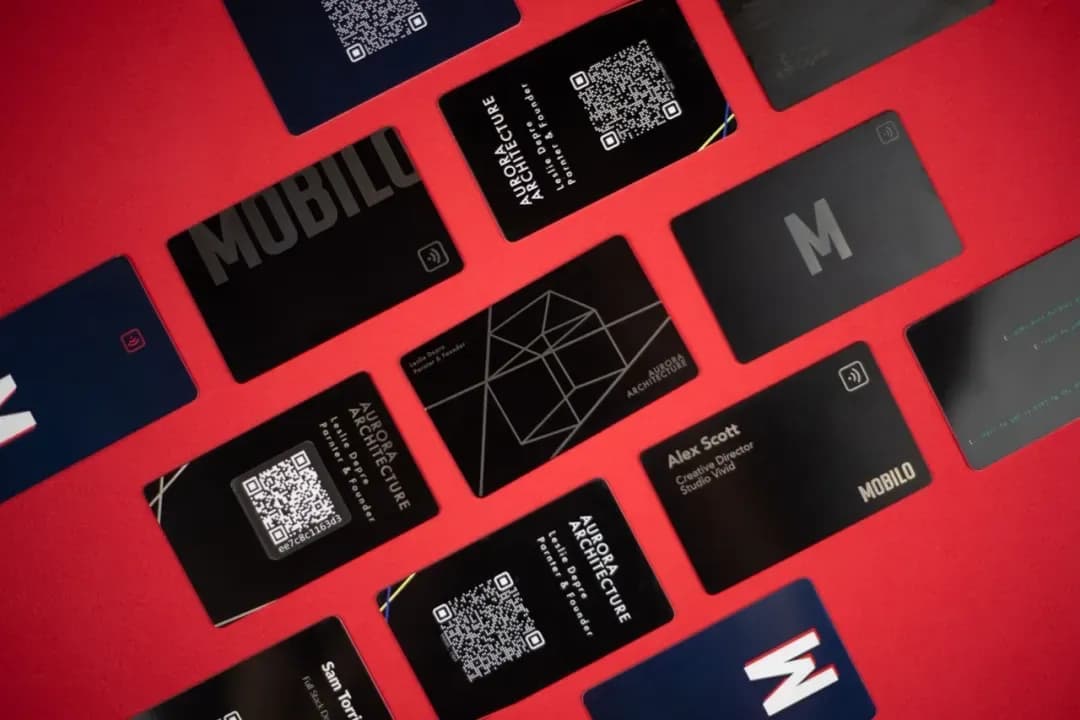
Mobilo is a solid option for professionals who prefer physical NFC cards combined with digital profiles and need strong CRM integration. However, if you're looking for a 100% digital solution with advanced privacy controls and beautifully designed cards, explore other options like Lynkle.
Mobilo feature highlights
- Premium physical NFC cards - Available in plastic, wood, and stainless steel materials.
- AI-powered lead enrichment - Automatically enrich contacts with company data, titles, and LinkedIn profiles.
- Business card scanner - AI-powered scanner to digitize paper business cards into contacts.
- CRM integrations - Native integrations with Salesforce, HubSpot, Pipedrive, and Microsoft Dynamics.
- Team management - Centralized control, employee directory sync, and role-based access for enterprise deployments.
Mobilo pricing
| Plan | Key features | Pricing |
|---|---|---|
| Pro plan | Digital business card with basic features for individuals. | $3/user/month billed annually (annual only) |
| Teams plan | Unlimited team members, team management, CRM integrations. | $4/user/month billed annually (annual only) |
| Business plan | Enterprise features, SSO, advanced security. Min. 100 users. | $5/user/month billed annually (annual only) |
| Physical cards | NFC cards sold separately (plastic from $19.99, wood from $59, metal from $139). | One-time purchase |
Mobilo pros & cons
Pros
- 🟢Strong CRM integrations with major platforms
- 🟢AI-powered lead enrichment and scoring
- 🟢Multiple physical card material options (plastic, wood, metal)
- 🟢Business card scanner for digitizing paper cards
- 🟢Enterprise features including SSO and SOC 2 compliance
Cons
- 🔻No privacy features like expiring links on any plan
- 🔻Physical cards are an additional cost on top of subscription
- 🔻No personalized card URLs (e.g., lynkle.com/your-name)
- 🔻Pricing can be confusing with card purchases plus subscription fees
- 🔻All subscription plans require annual billing - no monthly billing option
- 🔻Emphasis on physical cards rather than 100% digital solution
- 🔻No free plan - only paid subscriptions with a 90-day trial available
Want a deeper dive? Read our full Mobilo vs Blinq comparison for a detailed, side-by-side look at features, pricing, and verdict.
7. Wave
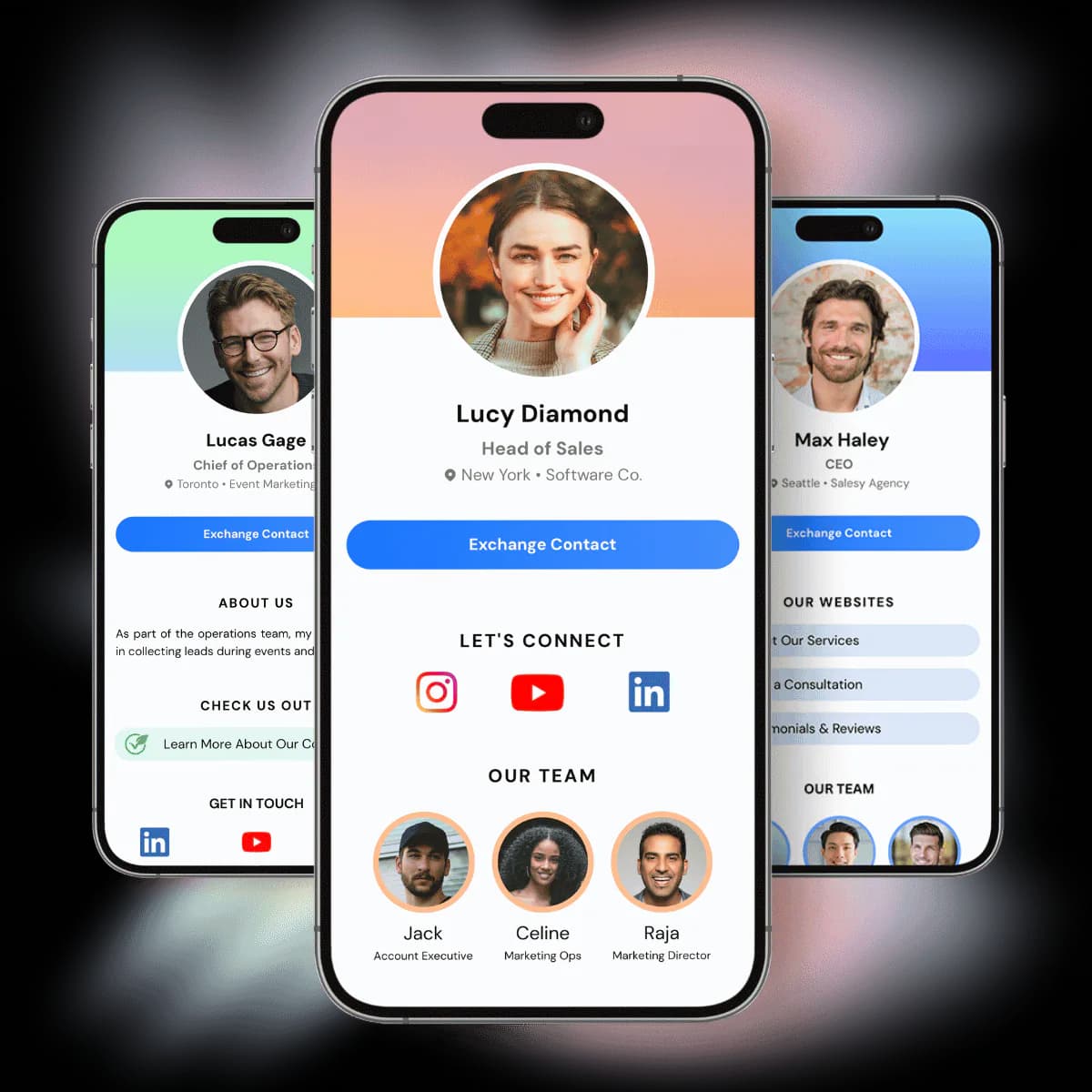
Wave is a solid option for teams that need enterprise security certifications like SOC 2 Type 2 and a generous free plan with built-in analytics and lead capture. For a more design-focused and privacy-first digital business card, consider Lynkle.
Wave feature highlights
- Enterprise security - SOC 2 Type 2 certified with GDPR compliance and role-based access controls.
- Generous free plan - Free plan includes lead capture, advanced analytics, and unlimited contacts.
- AI-powered scanning - Paper card scanner and badge scanner powered by AI for digitizing contacts.
- CRM integrations - Native connections with Salesforce, HubSpot, and other major CRM platforms.
- Multiple sharing methods - Share via QR code, Apple Wallet, Google Wallet, email, SMS, or NFC.
Wave pricing
| Plan | Key features | Pricing |
|---|---|---|
| Free plan | Digital business card with lead capture, analytics, and unlimited contacts. | Free |
| Pro plan | Custom branding, AI scanner, contact enrichment, and CRM sync. | $9/month ($7/month billed annually) |
| Teams plan | Admin platform, bulk editing, custom templates, and shared lead dashboard. Min. 3 seats. | $7/user/month ($5/user/month billed annually) |
| Enterprise | SSO, SCIM provisioning, assisted onboarding, and priority support. | Custom pricing |
Wave pros & cons
Pros
- 🟢Generous free plan with lead capture and advanced analytics included
- 🟢SOC 2 Type 2 certified, ideal for compliance-sensitive industries
- 🟢Strong team management and admin controls
- 🟢Apple and Google Wallet support on all plans
Cons
- 🔻Pro plan at $9/month ($7/month annually) is more expensive than some alternatives
- 🔻No privacy features like expiring links
- 🔻No personalized card URLs
- 🔻Limited card design and visual customization options
Want a deeper dive? Read our full Wave vs Blinq comparison for a detailed, side-by-side look at features, pricing, and verdict.
8. Dot
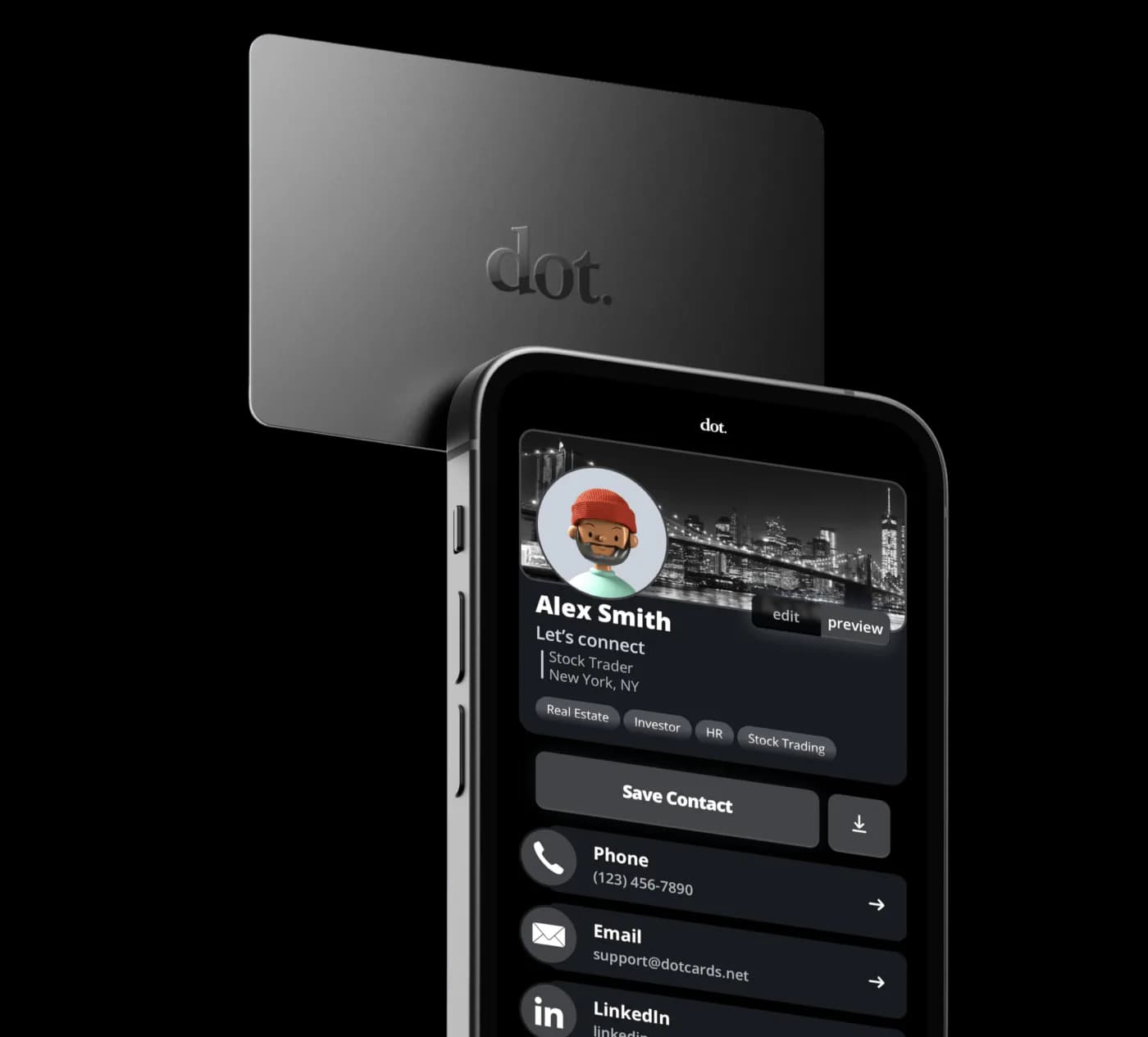
Dot is a good option if you prefer a physical NFC device with a one-time purchase and no monthly subscription for individuals. For a 100% digital solution with no hardware required, a generous free plan, and privacy features, consider Lynkle.
Dot feature highlights
- Physical NFC devices - Cards, bands, and phone stands that share contact details with a tap.
- No monthly fees for individuals - One-time device purchase includes a free digital profile with no subscription.
- Lifetime updates - Update your digital profile anytime without buying a new device.
- Universal compatibility - Works with both iPhone and Android without requiring an app for recipients.
Dot pricing
| Plan | Key features | Pricing |
|---|---|---|
| dot.Card | Physical NFC card with free digital profile included. | From $30 (one-time) |
| dot.Profile+ | Advanced customization, analytics, and branding controls. | $15/month ($12/month billed annually) |
| Essential Team plan | Team management and basic admin features for up to 100 users. | $8/user/month billed annually (annual only) |
| Growth Team plan | Advanced analytics, centralized admin, and dedicated support. | $15/user/month billed annually (annual only) |
Dot pros & cons
Pros
- 🟢No monthly subscription for individual card users
- 🟢Lifetime free updates to digital profile information
- 🟢Wide variety of NFC form factors (cards, bands, stands)
- 🟢Works with any smartphone without requiring an app
Cons
- 🔻Requires purchasing a physical device to get started
- 🔻No free digital-only option available
- 🔻Team plans are expensive ($8-$15/user/month)
- 🔻No privacy features like expiring links
- 🔻No personalized card URLs
- 🔻Limited digital features compared to software-first platforms
Want a deeper dive? Read our full Dot vs Blinq comparison for a detailed, side-by-side look at features, pricing, and verdict.
9. Haystack
Haystack is a strong choice for teams and enterprises that need HR system integrations and centralized brand management at scale. For a more design-focused and privacy-first digital business card with native CRM integrations, consider Lynkle.
Haystack feature highlights
- Caller ID - Help recipients identify your calls, boosting pickup rates with professional caller ID display.
- AI paper card scanner - Scan physical business cards with AI and save contacts directly to your CRM.
- Smart email signatures - Create branded email signatures linked to your digital card, managed centrally for teams.
- HR system integrations - Connect with Microsoft Entra ID, Google Workspace, Workday, and SAP for automated card management.
- Unlimited free plan - Unlimited digital cards and shares on the free Personal plan.
Haystack pricing
| Plan | Key features | Pricing |
|---|---|---|
| Personal plan | Unlimited digital cards, unlimited shares, AI card scanner, and basic customization. | Free |
| Pro plan | Custom card design, smart email signatures, CRM integrations, and analytics. | $7.95/month ($4.50/month annually) |
| Business plan | Team management, shared contact info, and everything in Pro. Minimum 10 users. | $4.95/user/month ($2.50/user/month annually) |
| Enterprise | Dedicated customer success, HRIS integrations, SSO, and custom pricing. Minimum 250 users. | Custom pricing |
Haystack pros & cons
Pros
- 🟢Generous free plan with unlimited cards and shares
- 🟢Unique caller ID feature for boosting call pickup rates
- 🟢AI-powered paper card scanner included on all plans
- 🟢Affordable team plan at $2.50/user/month when billed annually
- 🟢HR system integrations for automated card management at scale
Cons
- 🔻Pro plan at $7.95/month is expensive without annual commitment
- 🔻Business plan requires a minimum of 10 users
- 🔻No Apple Wallet or Google Wallet support
- 🔻No privacy features like expiring links
- 🔻No personalized card URLs
- 🔻CRM integrations rely on Zapier rather than native connections
Want a deeper dive? Read our full Haystack vs Blinq comparison for a detailed, side-by-side look at features, pricing, and verdict.
10. Linq
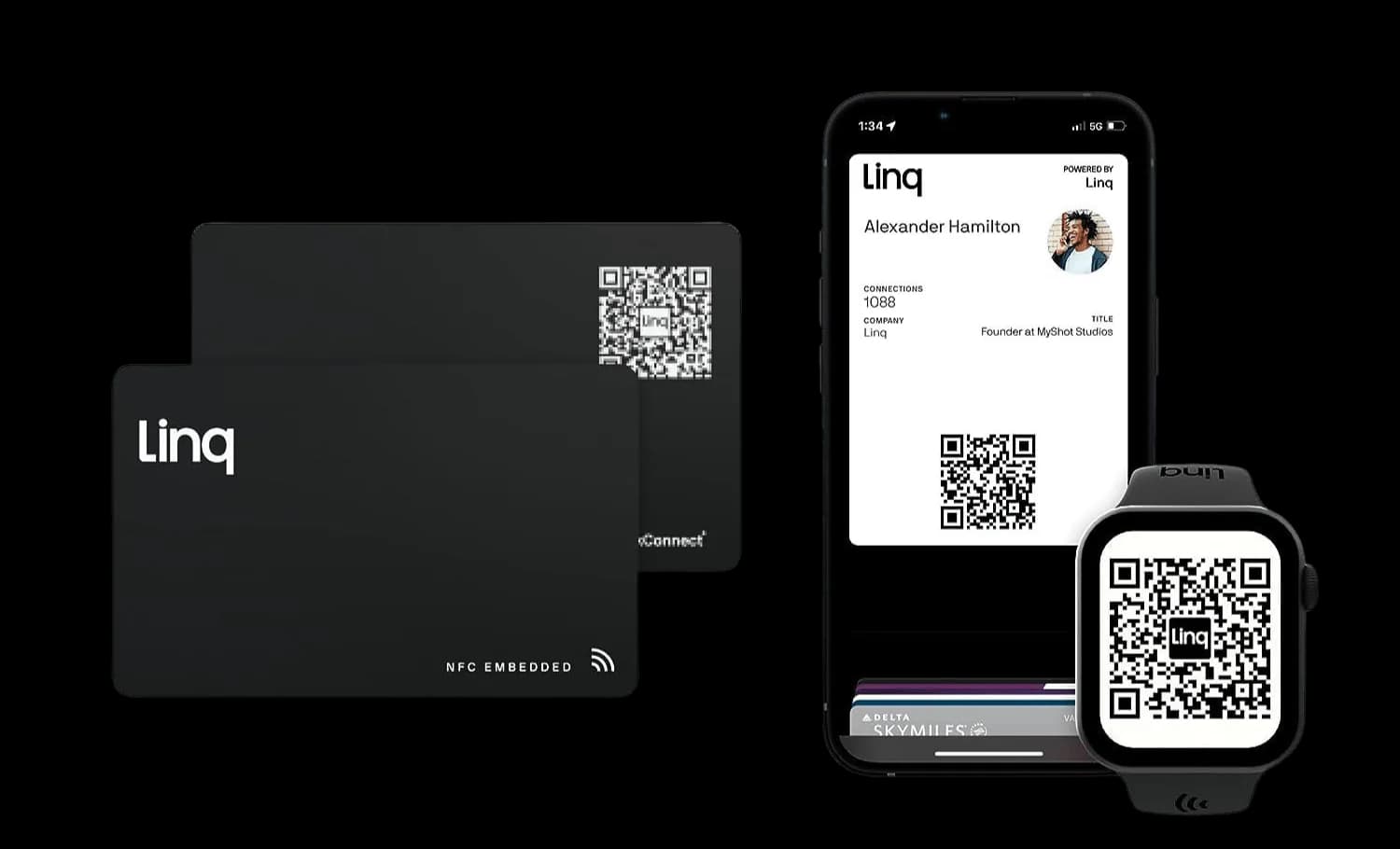
Linq combined NFC cards with a built-in CRM, business phone system, and lead management tools. However, Linq raised $20M in February 2026 to pivot to AI messaging, putting the future of its digital business card products in doubt. If you're looking for a reliable, long-term digital business card platform, consider alternatives that remain committed to the core product.
Linq feature highlights
- Built-in CRM - Mobile CRM with contact management, lead scoring, and follow-up automation.
- Business phone system - Integrated business phone number with call recording capabilities.
- Physical NFC products - NFC cards, badges, bracelets, tags, and smartwatch bands for sharing contact details.
- Lead retrieval automation - Automated follow-up sequences and lead management tools.
- CRM sync - Two-way sync with Salesforce and HubSpot for seamless data flow.
Linq pricing
| Plan | Key features | Pricing |
|---|---|---|
| Basic plan | 1 Linq page, unlimited page sharing, business card scanner, and basic analytics. | Free |
| Linq One | Multiple pages, Linq Phone (AI phone number with calling/texting/voicemail), CRM integrations, and workflows. | $29/seat/month ($20.75/seat/month billed annually) |
| Linq Blue | iMessage (blue-bubble) outreach, CRM-connected messaging, and enterprise CRM integrations (HubSpot, Salesforce). | Custom pricing |
| Physical products | NFC cards, badges, bracelets, and accessories sold separately. | $12.99 - $99 (one-time) |
Linq pros & cons
Pros
- 🟢Built-in CRM and phone system is unique in the market
- 🟢Free Basic plan with 1 Linq page and business card scanner
- 🟢Strong lead management and follow-up automation
- 🟢Two-way CRM sync with Salesforce and HubSpot
- 🟢Wide variety of physical NFC products (cards, badges, bracelets, smartwatch bands)
- 🟢CEO personally emailed to resolve customer complaints
Cons
- 🔻Company pivoted to AI messaging in 2026, digital card future is uncertain
- 🔻Old affordable Pro plan is gone - replaced by Linq One at $29/seat/month ($20.75/seat/month annually)
- 🔻No privacy features like expiring links
- 🔻No personalized card handles
- 🔻NFC cards linked to Linq servers may stop working if the product is fully sunset
- 🔻Subscription cancellation has been reported as difficult
- 🔻Features have gradually moved behind the paywall
Want a deeper dive? Read our full Linq vs Blinq comparison for a detailed, side-by-side look at features, pricing, and verdict.
Feature comparison table
| Feature | Lynkle | Popl | Blinq | HiHello | V1CE | Uniqode | Mobilo | Wave | Dot | Haystack | Linq |
|---|---|---|---|---|---|---|---|---|---|---|---|
| Free plan | ✅ | ✅ | ✅ | ✅ | ✅ | ✅ (limited) | ❌ | ✅ | ❌ | ✅ | ✅ (limited) |
| Mobile apps | iPhone and Android | iPhone and Android | iPhone and Android | iPhone and Android | Android only | iPhone and Android | iPhone and Android | iPhone and Android | iPhone only | iPhone and Android | iPhone and Android |
| NFC support | Compatible tag pairing: free; in-app Tap to Share: Pro or Teams | ✅ | ✅ | ✅ | ✅ | ❌ | ✅ (paid cards) | ✅ | ✅ (physical device) | ✅ | ✅ |
| QR support | ✅ | ✅ | ✅ | ✅ | ✅ | ✅ | ✅ | ✅ | ✅ | ✅ | ✅ |
| Custom branding | ✅ | ✅ (limited) | ✅ (limited) | ✅ | ✅ | ✅ | ✅ | ✅ | ✅ (limited) | ✅ | ✅ |
| Expiring links | ✅ | ❌ | ❌ | ❌ | ❌ | ❌ | ❌ | ❌ | ❌ | ❌ | ❌ |
| Personalized card URL | ✅ | ❌ | ❌ | ❌ | ❌ | ❌ | ❌ | ❌ | ❌ | ❌ | ❌ |
| Analytics | ✅ | ✅ | ✅ | ✅ | ✅ | ✅ | ✅ | ✅ | ✅ (paid) | ✅ (Pro+) | ✅ |
| Team features | ✅ | ✅ | ✅ | ✅ | ✅ | ✅ | ✅ | ✅ | ✅ | ✅ | ✅ |
| Integrations (CRM) | ✅ | ✅ | ✅ | ✅ | ✅ | ✅ | ✅ | ✅ | ❌ | ✅ (via Zapier) | ✅ |
| Compatibility | iOS/Android/Web | iOS/Android/Web | iOS/Android/Web | iOS/Android/Web | iOS/Android/Web | iOS/Android/Web | iOS/Android/Web | iOS/Android/Web | iOS/Android/Web | iOS/Android/Web | iOS/Android/Web |
| Summary | Strong privacy, fully digital | Integration-rich, event lead capture | AI enrichment, affordable teams | Video embedding, email signatures | Premium NFC cards, automated follow-ups | Enterprise QR, compliance-focused | Physical NFC cards, AI enrichment | Enterprise security, generous free plan | Physical NFC devices, no free plan | Team-focused, caller ID feature | Built-in CRM, pivoting away from cards |
Don't just pick a Blinq alternative because it's popular. Choose one that protects your privacy, showcases your brand, delivers actionable analytics, and works seamlessly for teams. Lynkle excels in all these areas, combining robust privacy, a clean, intuitive design, and a 100% digital-first digital business card experience that makes networking smarter and simpler. Plus, Lynkle's free digital business card includes features many competitors charge for.
If you're exploring options beyond Blinq, you might also want to compare it against other leading providers. Use our scored guide to the best digital business cards in 2026 for pricing, strengths, weaknesses, and best-for verdicts.
Switch your team to digital
Every teammate, on-brand from day one. Every lead, in one place, in your CRM. No more print runs. Free 30-day trial, cancel anytime.
Ready to start your digital business card journey?
Get started for freeTrusted by the best





