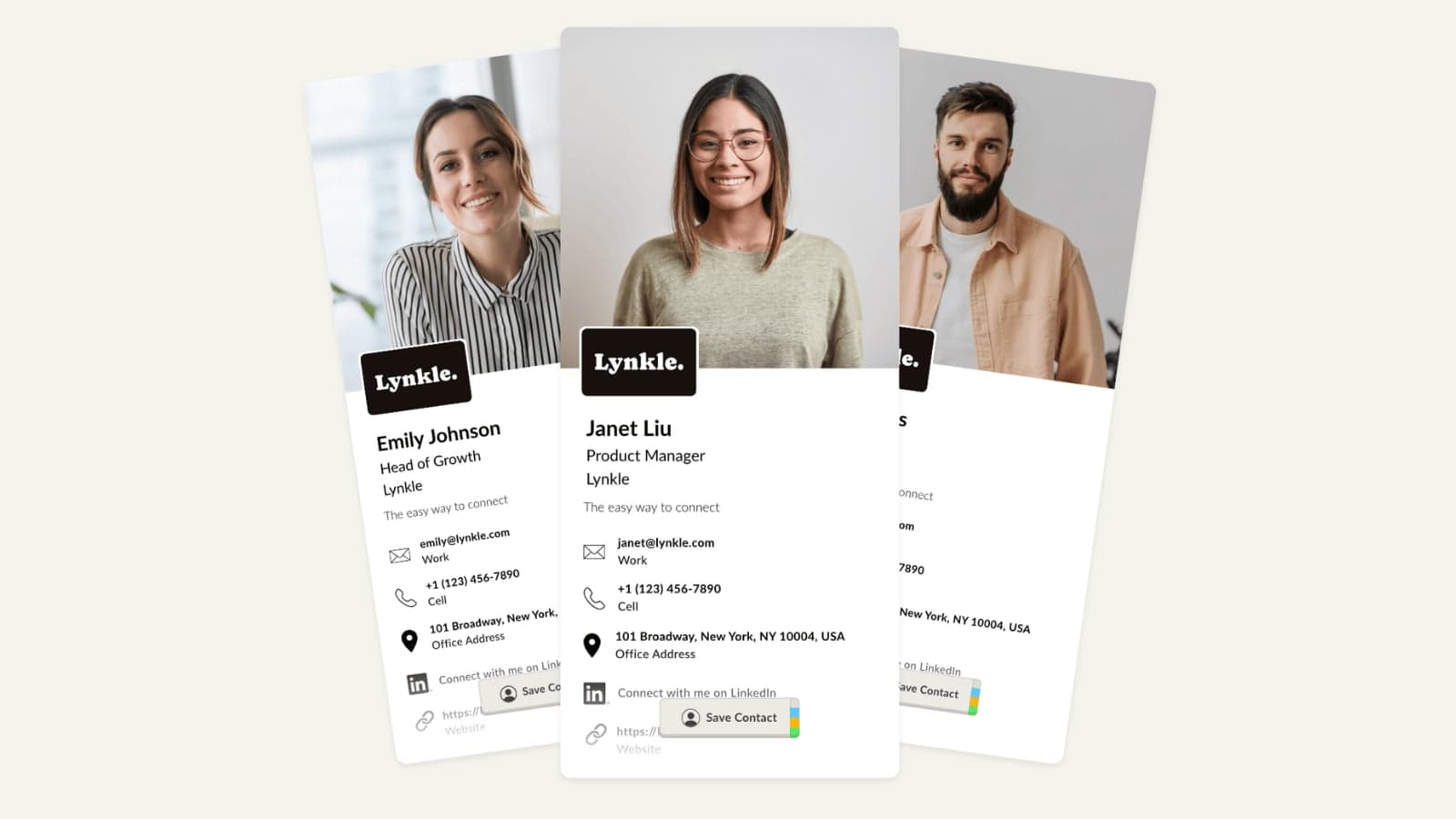
The best digital business cards in 2026 are Lynkle, HiHello, Blinq, Popl, Uniqode, and V1CE. Lynkle is the best overall choice for most professionals and small teams because it combines a polished public profile, native iPhone and Android apps, QR sharing, Apple Wallet and Google Wallet support, NFC flexibility, private sharing, and clear team pricing. The right choice still depends on your workflow, so this guide scores each platform by the criteria that matter after the first scan.
This is a buyer's guide, not a lab test. We scored each platform using publicly available product information, official pricing pages, and the way a real contact exchange works: create the card, share it without friction, help the recipient save your details, capture leads when needed, and keep everything up to date when your role or team changes.
Quick picks: winners by category
If you only need the short version, match the platform to the job:
| Category | Winner |
|---|---|
| Best overall digital business card | Lynkle |
| Best free multi-card starter | HiHello |
| Best for AI contact enrichment | Blinq |
| Best for trade shows and event lead capture | Popl |
| Best enterprise QR-code platform with cards | Uniqode |
| Best premium physical NFC card | V1CE |
| Best hardware-agnostic NFC setup | Lynkle paired with any compatible NFC tag or card |
How we scored digital business cards
A digital business card should solve the whole exchange, not just show a nice profile page. We scored each platform out of 100:
| Criteria | Weight | What we checked |
|---|---|---|
| Recipient experience | 25 pts | Fast browser load, clear next step, easy contact saving, no forced app install. |
| Sharing methods | 15 pts | Link, QR code, wallet pass, NFC, and fallback sharing. |
| Profile quality and branding | 15 pts | Professional design, brand fit, useful links, files, social profiles, and booking actions. |
| Lead capture and follow-up | 15 pts | Two-way contact exchange, export, CRM sync, and practical follow-up tools. |
| Team controls, integrations, and security | 15 pts | Admin templates, users, billing, analytics, CRM sync, security, and offboarding. |
| Pricing transparency and lock-in risk | 10 pts | Public pricing, clear limits, fair value, and low hardware or plan lock-in. |
| Best-fit clarity | 5 pts | Clear buyer fit, clear tradeoffs, and obvious reasons not to choose it. |
Best digital business cards compared
Pricing changes often, especially for AI, event, and enterprise features. Prices below were checked on July 2, 2026 against official vendor pages or app-store listings where public pricing was available.
| Rank | Platform | Score | Category winner | Best for | Main weakness |
|---|---|---|---|---|---|
| 1 | Lynkle | 91 | Best overall for professionals and small teams | Wallet-ready cards, QR and NFC flexibility, private sharing, teams | Not a physical NFC card seller, so premium hardware must be bought separately |
| 2 | HiHello | 88 | Best free multi-card starter | Individuals who want several free cards and polished virtual backgrounds | Some advanced scanning, analytics, and team features sit on paid plans |
| 3 | Blinq | 86 | Best AI-enhanced contact workflow | AI notes, enrichment, contact scanning, and CRM-minded teams | AI features can be overkill if you only need a simple public card |
| 4 | Popl | 82 | Best for event lead capture | Trade shows, booth teams, badge scanning, event attribution | Team pricing is quote-based, and the product is now event-led rather than simple-card-led |
| 5 | Uniqode | 80 | Best enterprise QR platform with cards included | QR code campaigns, enterprise controls, compliance-heavy teams | Digital business cards can feel like one part of a broader QR platform |
| 6 | V1CE | 79 | Best premium physical first impression | Premium NFC cards, client capture, follow-up automation | The full client-capture system costs much more than basic card software |
Pricing
| Platform | Plans and pricing |
|---|---|
| Lynkle | FreeFree Profrom $54/year Teams$48/user/year5-user minimum |
| HiHello | PersonalFree Professional$6/month yearly or $8/month monthly Business$5/user/month billed yearly EnterpriseCustom pricing |
| Blinq | Premium$7.33/month yearly or $9.99/month monthly Business$4.99/card/month yearly or $6.99/card/month monthly EnterpriseCustom pricing |
| Popl | Team plansQuote-based Popl Pro$7.99/monthiOS in-app purchase Popl Pro Plus$14.99/monthiOS in-app purchase |
| V1CE | Digital cardFree available Client Capture OS£49.99/monthafter the free trial Physical cardsVaries by product and material |
| Uniqode | First cardFree Team$6/user/monthbilled annually Business+Custom pricing |
Platform reviews and verdicts
The sections below explain who each platform fits, what it does well, where it is weaker, and what to check before buying. The goal is not to crown one tool for everyone. It is to help you choose the right card system for the way you meet people.
1. Lynkle, best overall for professionals and small teams

Lynkle is the strongest all-around choice if you want one polished digital identity that works across QR code, personal link, Apple Wallet, Google Wallet, and the Lynkle app for iPhone and Android. You can pair a compatible third-party NFC card or tag for free, or use Pro or Teams in-app Tap to Share without separate hardware on Android and, on iOS, only in the EEA.
Pricing
Free plan. Pro from $54/year. Teams $48/user/year with a 5-user minimum. Prices are public.
Best For
Professionals, consultants, recruiters, realtors, sales teams, and small to mid-sized teams that want polished cards and native iPhone and Android apps without hardware lock-in.
Pros
Free plan, native iPhone and Android apps, personal card link, QR sharing, Apple Wallet and Google Wallet support, free compatible-tag pairing, optional in-app Tap to Share, private card sharing, lead capture, branded email signatures on Pro and Teams, card insights, and clear Teams pricing.
Cons
In-app Tap to Share requires Pro or Teams. Lynkle does not sell physical NFC cards, so you need to buy a compatible third-party card, tag, or sticker if you want a separate physical sharing object.
2. HiHello, best free multi-card starter
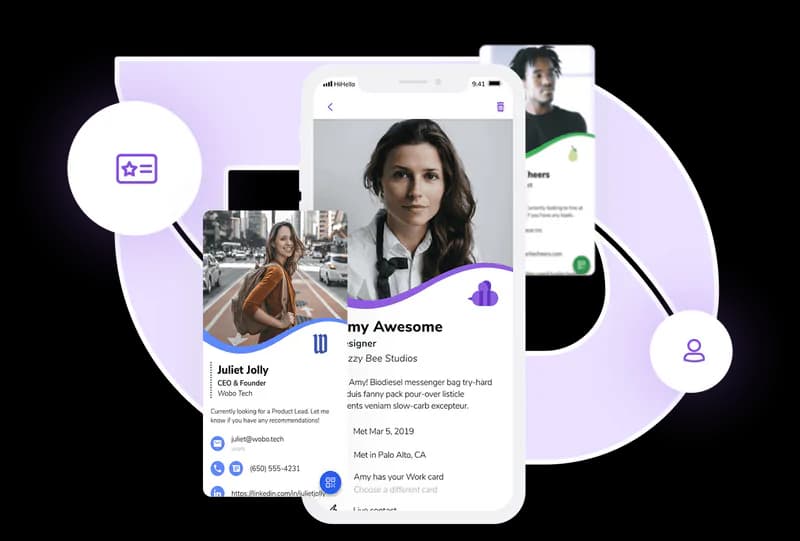
HiHello is a mature digital business card platform with a generous free plan, clean profile creation, virtual backgrounds, email signatures, and team features. It is one of the easiest recommendations for people who want several card profiles before paying.
Pricing
Free Personal plan. Professional from $6/month when billed yearly or $8/month billed monthly. Business from $5/user/month billed yearly. Enterprise uses custom pricing.
Best For
Individuals who want multiple free card profiles, virtual meeting assets, and a straightforward upgrade path.
Pros
4 free digital business cards, email signature generator, QR and widget sharing, virtual backgrounds, and strong business and enterprise feature coverage.
Cons
Scanner limits, analytics, QR branding, contact enrichment, and several team controls depend on paid tiers. Pricing can also become less simple as you add business and enterprise needs.
3. Blinq, best for AI-enhanced contact workflows
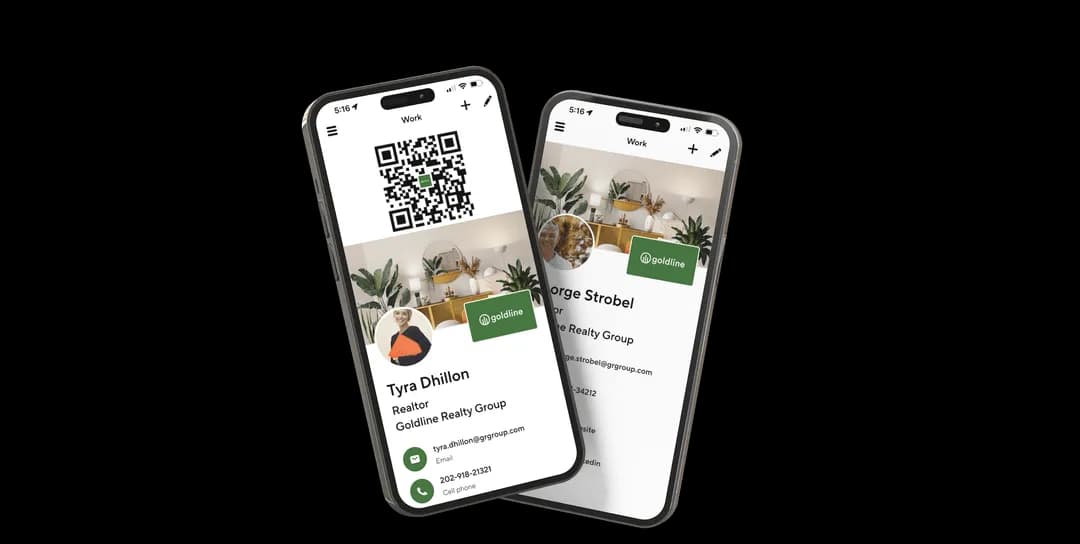
Blinq is strong when the card is part of a broader contact workflow. Its paid tiers emphasize AI notetaking, contact enrichment, universal scanning, and CRM sync. That makes it useful for people who meet many contacts and need help remembering, enriching, and routing them.
Pricing
Premium is $7.33/month billed yearly or $9.99/month billed monthly. Business is $4.99/card/month billed yearly or $6.99/card/month billed monthly.
Best For
Salespeople, recruiters, founders, and team members who value AI contact enrichment and post-meeting notes.
Pros
Quick setup, polished sharing, branded QR codes, universal scanner, AI notetaker, AI enrichment, contact export, and team CRM features.
Cons
AI workflows may be unnecessary for users who just want a simple public card. Teams should also understand relationship intelligence usage pricing before rolling it out.
4. Popl, best for events and trade-show lead capture
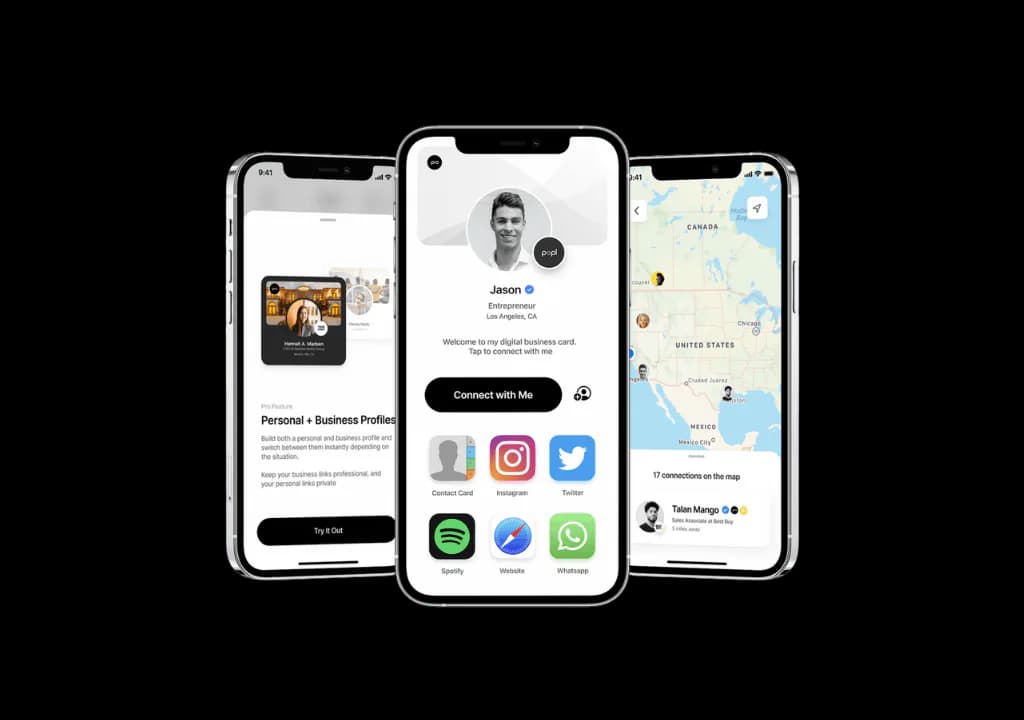
Popl is now best understood as an event lead capture platform that also supports digital business cards. Its strongest use cases are trade shows, booth teams, badge scanning, offline capture, enrichment, CRM sync, and measuring event performance.
Pricing
Team pricing requires a quote. Individual iOS in-app purchases include Popl Pro at $7.99/month and Popl Pro Plus at $14.99/month.
Best For
Event marketers, sales teams, and conference-heavy companies that need lead capture more than a simple card profile.
Pros
Event-focused workflow, Universal Badge Scanner, offline lead capture, CRM integrations, AI enrichment, campaign questions, and strong NFC product ecosystem.
Cons
Team pricing is not self-serve or public, and Popl may be more platform than an individual needs for everyday networking. If you only want a simple card, the event-led product direction can feel heavy.
5. Uniqode, best QR-code platform with digital cards included
Uniqode, formerly Beaconstac, is strongest for organizations that already think in QR campaigns, analytics, compliance, and centralized management. Its digital business cards fit well when cards are part of a broader offline-to-online system.
Pricing
The first digital business card can be created for free. Additional seats are available on the Team plan at $6/user/month, billed annually. Business+ uses custom pricing.
Best For
Enterprises, regulated teams, QR-code campaigns, and organizations that want cards alongside broader QR management.
Pros
Dynamic QR strength, analytics, Salesforce integration, open APIs and Zapier, wallet sharing, SSO on Business+, SOC 2 Type 2, GDPR, and HIPAA-related security positioning.
Cons
Digital cards can feel secondary to the larger QR platform. Monthly billing is not offered for the digital business card plans, and some security features require Business+.
6. V1CE, best premium physical first impression

V1CE is the premium physical-card option in this list. It is best for people who want the card itself to make a strong impression, especially with NFC hardware, premium materials, and client-capture workflows attached.
Pricing
Free digital card available. Client Capture OS is £49.99/month after a free trial. Physical card prices vary by product and material.
Best For
Luxury sales, executives, consultants, founders, and client-facing roles where the physical card is part of the brand moment.
Pros
Premium NFC card materials, wallet support, contact capture, automated follow-ups, booking links, agreements, and a networking CRM angle.
Cons
The full Client Capture OS is far more expensive than simple card software. If you do not need automation or premium physical hardware, you may be paying for more system than you use.
Which platform should you choose?
Use the buying scenario, not the brand name, to narrow the choice:
| Scenario | Recommendation |
|---|---|
| Solo professional who wants a polished card fast | Start with Lynkle, HiHello, or Blinq. |
| Small team that wants public pricing | Compare Lynkle Teams, HiHello Business, and Blinq Business. |
| Trade-show or conference team | Compare Popl first, then benchmark against Blinq, Uniqode, and Lynkle Teams based on CRM needs. |
| Enterprise QR-code program | Shortlist Uniqode if digital cards are part of a broader QR and campaign analytics stack. |
| Premium physical-card buyer | Compare V1CE, Popl, and generic NFC hardware, then make sure the software layer is still right. |
| Hardware-agnostic NFC buyer | Pair a digital business card with any compatible NFC tag for free, or use Pro or Teams Tap to Share in the Lynkle app for iPhone and Android. See our guide to creating an NFC business card. |
Common mistakes when buying digital business cards
Most bad purchases happen because the buyer focuses on the first share and forgets what happens after it. Avoid these mistakes:
| Mistake | What to do instead |
|---|---|
| Buying hardware before choosing the profile | NFC cards, stickers, and metal cards are just ways to open a URL. Choose the profile and contact-saving flow first. |
| Ignoring recipient friction | If the recipient needs to download an app or create an account, the card is doing too much. |
| Comparing free plans without checking limits | Check branding, number of cards, wallet support, scanner limits, contacts, exports, and analytics. |
| Skipping privacy and control | Decide what should be public, what should be private, and who owns the contact data before a team rollout. |
| Choosing the event platform for everyday networking | Event lead capture tools can be excellent, but they may be too heavy for simple one-to-one sharing. |
| Forgetting email and remote sharing | Your card should work in email signatures, DMs, calendar invites, and follow-up messages. |
NFC business cards explained
NFC, or Near Field Communication, lets a phone read a small chip when it is held close to the card or tag. For business cards, the chip usually stores a URL. When someone taps the card, their phone opens your digital business card in the browser.
You can pair a Lynkle card with compatible third-party NFC hardware for free. If you prefer not to carry a separate tag, Pro or Teams members can use in-app Tap to Share on Android and, on iOS, only in the EEA. Both paths open your live profile without tying it to a printed card. For a deeper buyer's guide, compare the best NFC business cards.
Final recommendation
If you want the best overall digital business card in 2026, start with Lynkle. It gives you the practical sharing layer most people actually need: a live profile, native iPhone and Android apps, QR code, wallet passes, personal link, NFC flexibility, lead capture, privacy controls, and team options with public pricing.
If your use case is more specialized, choose accordingly. HiHello is excellent for free multi-card use. Blinq is strong for AI-enriched contacts. Popl is the event lead capture specialist. Uniqode fits QR code and enterprise workflows. V1CE is the premium physical NFC card choice. The best card is the one that makes the next conversation easier to start, save, and follow up.
Related reading
Ready to start your digital business card journey?
Get started for freeTrusted by the best





