
NFC business cards: complete guide
What is an NFC business card?
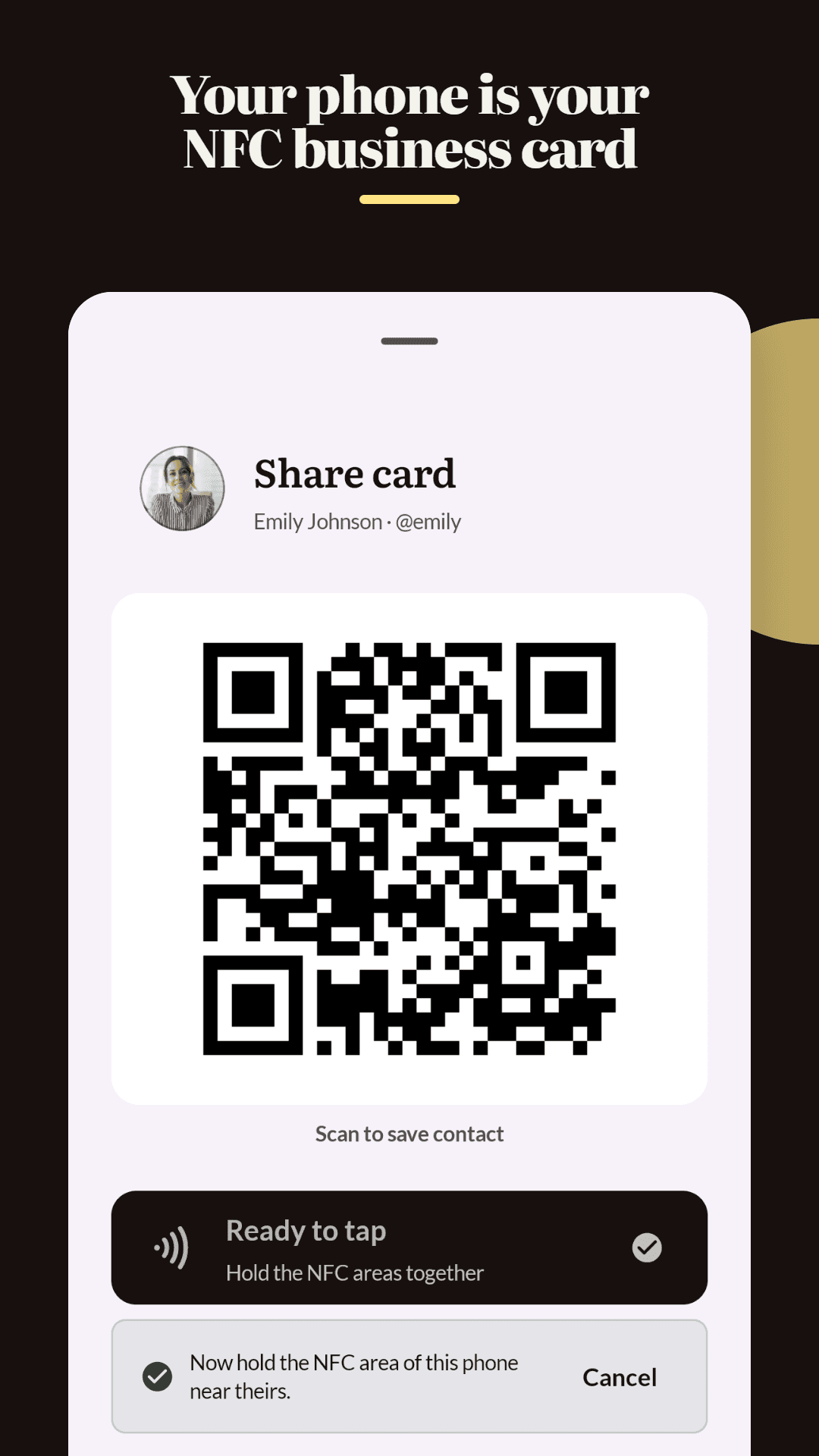
An NFC business card is a digital profile you share with a Near Field Communication tap. You can use Pro or Teams Tap to Share from the Lynkle Android app without a physical card, or program a compatible physical NFC card or tag. Either way, the recipient opens your digital business card in their browser without installing an app.
Why it matters:
- Eliminates the need to carry stacks of paper cards
- Contact details are always up to date. Edit once, and every future tap shows the latest version
- Works with NFC-enabled smartphones on iPhone and Android
- Creates a memorable, tech-forward first impression
New to digital business cards? Read our complete guide to digital business cards for a broader overview.
How do NFC business cards work?
NFC technology uses short-range wireless communication between two devices. Here is how it works in four steps:
- Encode your URL: Your digital business card URL (for example,
lynkle.com/yourname) is written to the NFC tag. - Tap to share: Hold the NFC card or tag near the recipient's smartphone. The NFC chip transmits the URL to their device.
- Card opens instantly: The recipient's phone opens your digital card in their browser automatically.
- Save contact: The recipient can save your details to their phone contacts, connect on social media, or visit your website, all from the card.
Tap to Share without a physical NFC card
Tap to Share uses your phone's built-in NFC hardware, so you do not need to buy or carry a physical NFC card. Open your card in the Lynkle Android app, choose Tap to Share, and hold your phone near the recipient's NFC-enabled phone. Tap to Share requires Lynkle Pro or Teams. It is also available on iOS only in the European Economic Area.
Benefits of NFC business cards
- Instant sharing: No fumbling with paper cards or spelling out email addresses. One tap and your info is transferred.
- Always current: Update your phone number, title, or company once and every future tap reflects the change.
- Less paper waste: A reusable tag can reduce repeated printing when your details change.
- Trackable: See how many people have tapped your card, viewed your profile, or saved your contact.
- Professional impression: NFC cards signal that you are tech-savvy and forward-thinking.
- Cross-platform compatibility: Works with NFC-enabled iPhone and Android devices.
NFC business card apps for iPhone and Android
Lynkle app for iPhone and Android
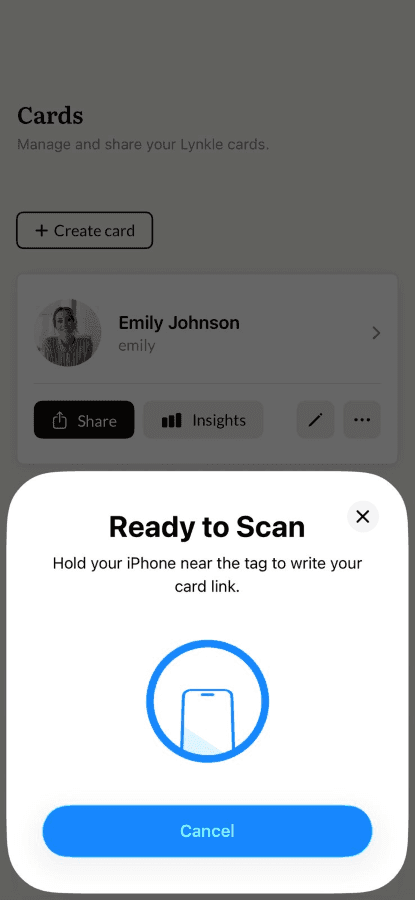
The Lynkle app lets you pair your digital business card with any compatible third-party NFC tag from iPhone or Android:
- Open the Lynkle app and find the card you want to pair.
- Tap the "..." menu on the card tile.
- Tap "Pair with NFC tag".
- Hold the tag near your phone's NFC antenna when the scan screen appears.
- Keep it in place until the app confirms the tag is paired.
Third-party NFC writers
A third-party NFC writer such as NFC Tools is an optional fallback if the native Lynkle pairing workflow does not work with your tag. Copy your Lynkle card URL and write it to the tag as a URL record.
How to create an NFC business card
- Create your digital business card: Sign up at lynkle.com and build your card with your name, title, contact info, and links.
- Get a blank NFC tag: Purchase inexpensive NFC stickers or cards online (NTAG215 or NTAG216 are recommended).
- Download the Lynkle app: Use Lynkle on Android or iOS to pair the compatible tag with your card.
- Pair your card with the tag: Open the card menu, tap "Pair with NFC tag", and hold your phone near the tag until the app confirms it is paired.
- Test the tag: Have someone tap the tag with their phone to confirm it opens your card correctly.
- Attach or carry the tag: Stick the NFC tag to your phone case, laptop, notebook, or carry a standalone NFC card in your wallet.
Custom NFC business cards
For a polished look, you can order custom NFC cards with your branding. Many providers offer options to customize:
- Card material (PVC, metal, wood, bamboo)
- Printed design (logo, name, QR code)
- Card shape and size
- NFC chip type and memory capacity
- Finish (matte, glossy, textured)
Regardless of the physical card design, the NFC chip simply stores a link to your digital business card, so you can always update your information without ordering new cards.
NFC vs paper business cards
| Feature | Paper Cards | NFC Business Cards |
|---|---|---|
| Instant sharing | Requires physical handoff | One tap to share |
| Modifiable details | Requires reprinting | Update anytime, changes reflected instantly |
| Eco-friendly | Paper, ink, and shipping waste | Reusable and can reduce repeated printing |
| Multimedia | Text and graphics only | Links, videos, social profiles, and more |
| Cross-device compatibility | Universal (physical) | Works with NFC-enabled smartphones |
Does Lynkle sell physical NFC business cards?
Lynkle does not manufacture or sell physical NFC hardware. Instead, Lynkle focuses on the digital business card platform so you can pair your card with any compatible third-party NFC tag. This gives you full control over the physical format, whether you prefer a sticker, a PVC card, a metal card, or an NFC-enabled phone case. You can buy compatible writable tags from third-party retailers and pair them through the Lynkle app. For a comparison of digital business card platforms, check out our guide to the best digital business cards in 2026.
Related reading
Ready to start your digital business card journey?
Get started for freeTrusted by the best





